> For the complete documentation index, see [llms.txt](https://willow-watchface.ammarptn.com/llms.txt). Markdown versions of documentation pages are available by appending `.md` to page URLs; this page is available as [Markdown](https://willow-watchface.ammarptn.com/guide/bring-your-watch-face-to-life-a-deep-dive-into-portrait-mode.md).
# Bring Your Watch Face to Life: A Deep Dive into Portrait Mode
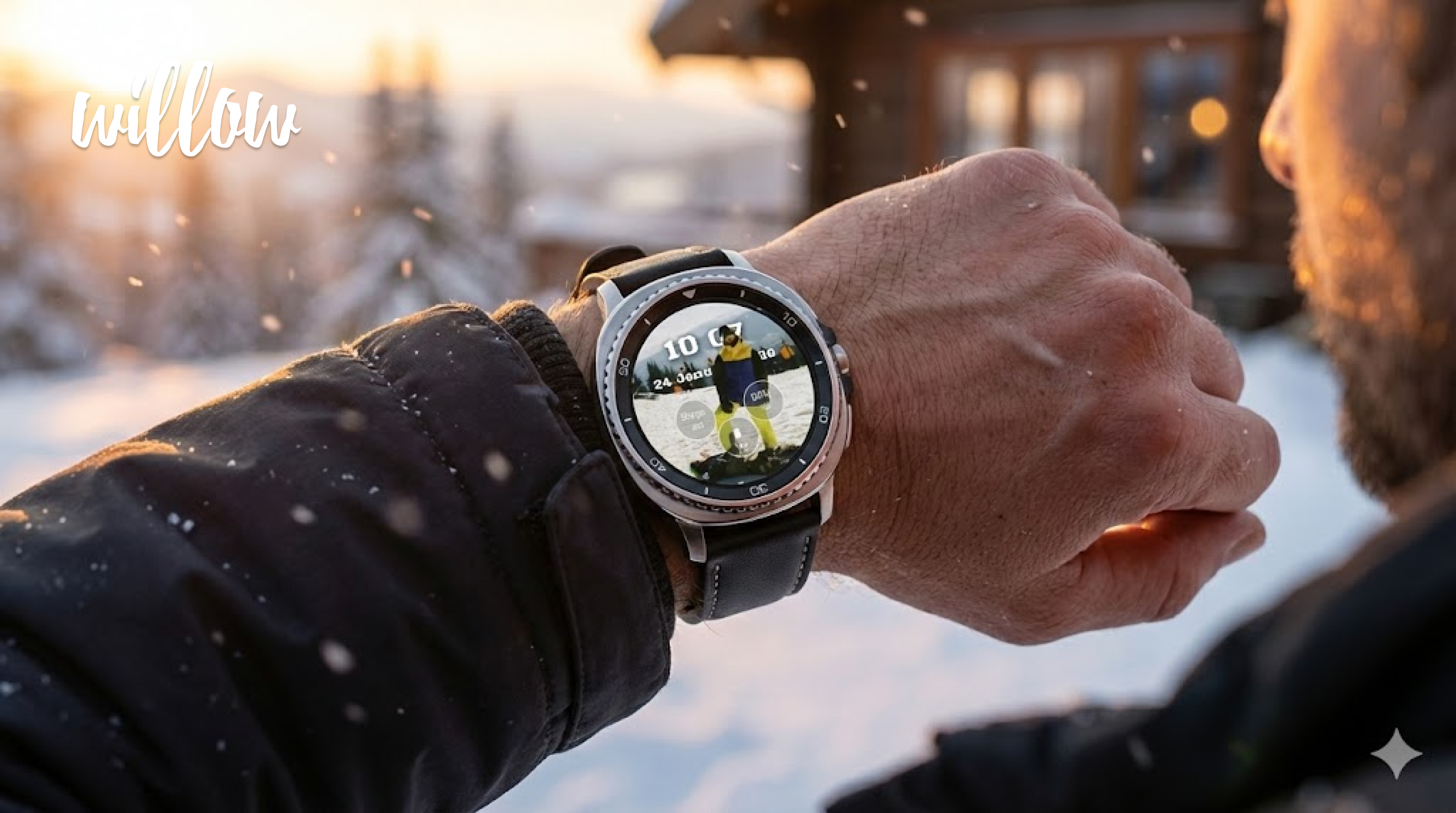
Portrait mode on wear os watch using WIllow watch face
## Bring Your Watch Face to Life: A Deep Dive into Portrait Mode
*By Your Customer Success Team at Willow*
Hello Willow community! 👋
We know that one of the main reasons you chose Willow is to make your Wear OS smartwatch truly *yours*. Today, I want to shine a spotlight on one of our most magical features: **Portrait Mode**.
If you haven't tried it yet, you're missing out on the easiest way to turn a standard photo into a professional-looking, depth-layered watch face. Let's explore why this feature is a game-changer and how you can get the best results.
### Why Portrait Mode?
Most photo watch faces are flat—just an image with a clock slapped on top. Portrait Mode changes that completely.
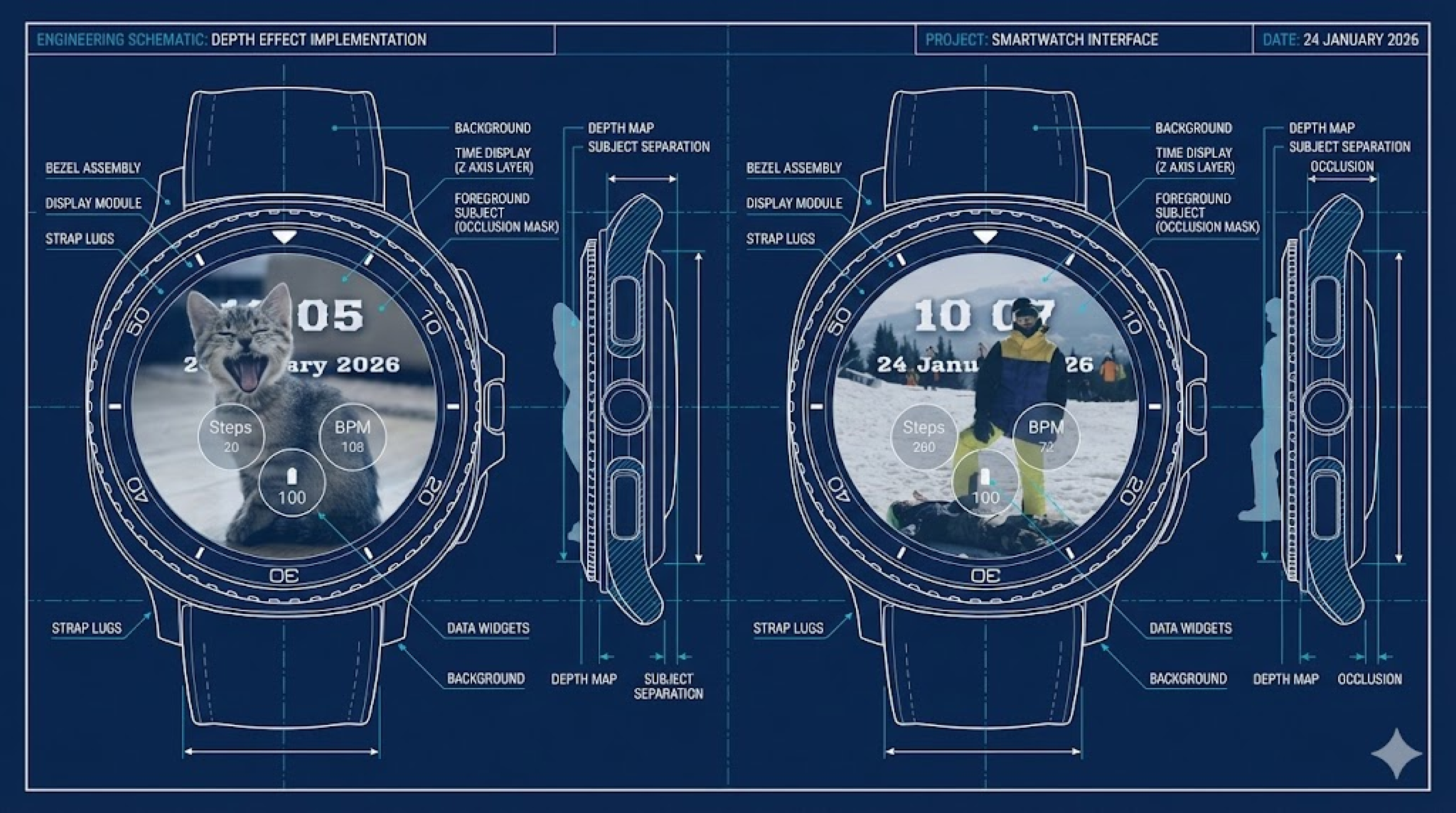
Using advanced AI (the same tech used in top-tier photo editing apps), Willow analyzes your photo, understands what the subject is (you, your partner even your cat!), and separates it from the background. This creates a stunning 3D-like effect where your subject can actually sit *in front* of the time or other elements.
It’s personal, it’s dynamic, and it looks like something that took hours to design in Photoshop—but Willow does it for you in seconds. ✨
### Understanding the Modes
We offer two distinct ways to display your portrait, ensuring it fits your style:
#### 1. Static Mode (The Classic Look)
This is perfect if you want a clean, elegant look. Your subject stays separated from the background permanently. It’s ideal for ensuring your loved ones are always the star of the show.
#### 2. Blinking Mode (The Dynamic Look)
Want something that catches the eye? In Blinking Mode, the separation effect toggles on and off every couple of seconds. It’s a subtle animation that makes your watch face feel "alive" without draining your battery.
### How to Create Your Masterpiece in 4 Steps
Ready to try it? Here is the simplest way to get started:
1. **Pick the Right Photo**: Choose a picture with good lighting where the subject (person or pet) is clearly visible. Half-body shots work amazingly well!
2. **Toggle Portrait Mode**: In the Willow configuration screen, simply flip the **Portrait Mode** switch to **ON**. Watch the magic happen as our AI processes your image instantly.
3. **Layer It Up**: This is the fun part! You can drag layers to rearrange them.
4. **Save & Sync**: Hit save, and push it to your Wear OS watch.
* *Try this*: Move the **Time** layer *behind* your **Portrait** layer. This makes your subject "pop" out of the screen! 🤯
> **Pro Tip:** Don't worry about battery life! Portrait Mode is smart—it automatically turns off when your watch goes into ambient (dim) mode to save power, and leaps back to life when you raise your wrist.
### Need Help?
We want you to love your new watch face! If `Portrait Mode` isn't detecting your subject perfectly, try a photo with a simpler background. And as always, if you get stuck, we're here to help troubleshoot.
Happy creating! We can't wait to see what you build.
***